
To create an API key:
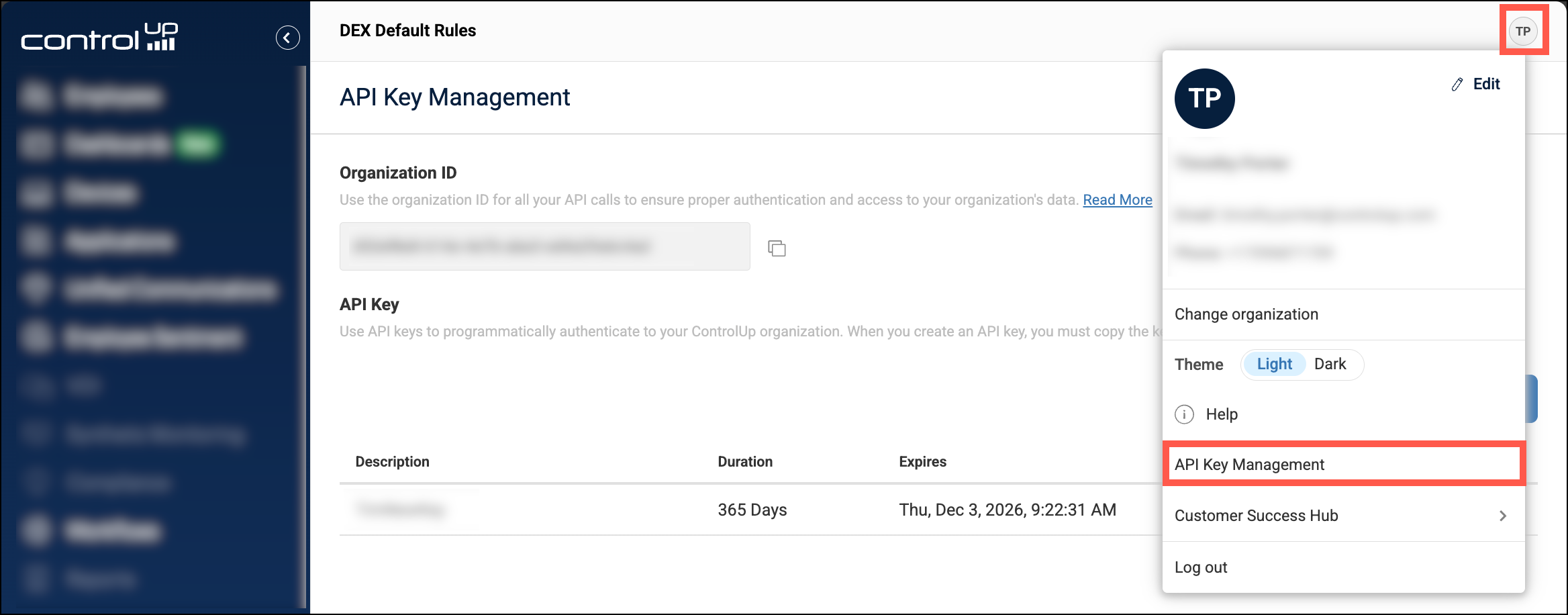
- Click on your profile icon in the top-right corner and select API Key Management.
- Click + Create new.
You can set the duration for the API key. After the duration has ended, the API key can no longer be used.
Permissions
API keys inherit the permissions of the user that created them. If you update a users permissions, then any API keys they have created are automatically updated with the new set of permissions.
Permissions must be assigned directly to the userA user can access an API endpoint only if the relevant permission is assigned directly to their ControlUp account. Permissions assigned to a user indirectly through identity provider group membership do not apply for API access.
Revoke API keys
If you revoke an API key, it can no longer be used to access your organization.
To revoke one of your own API keys:
- Go to API Key Management.
- Click the X button to revoke the API key. If you click the trash icon to delete a an API key, then the API key is revoked and also removed from the list.
To revoke all API keys created by a user:
-
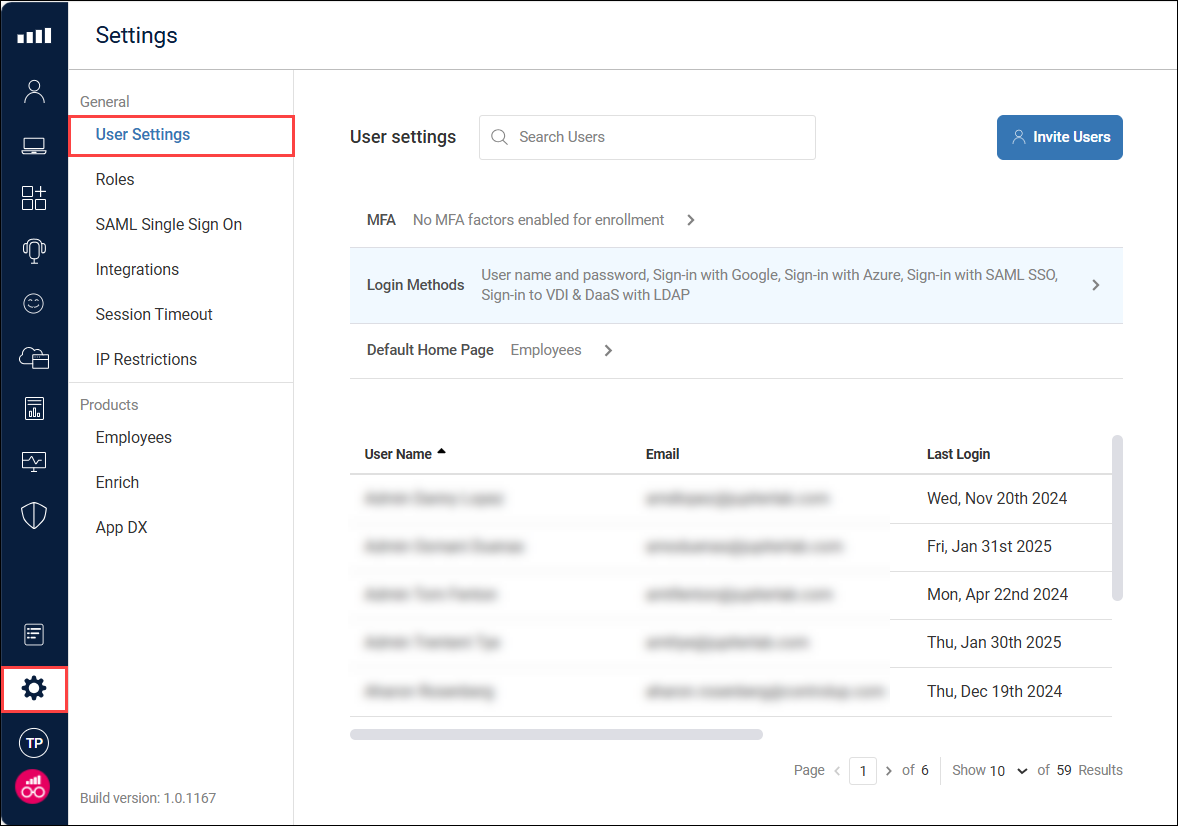
Go to Settings > User Settings
-
Click on a user.
-
Click Revoke API Keys.
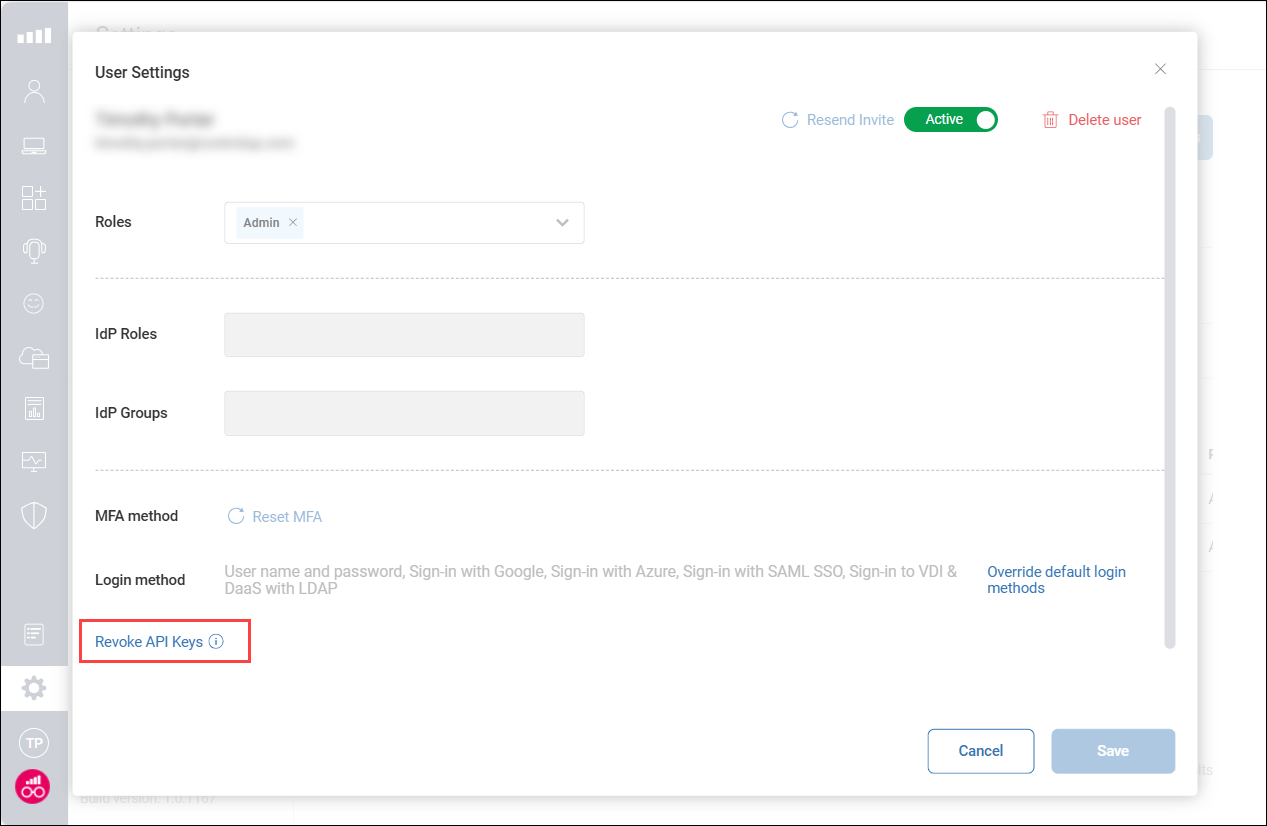
If you delete a user, then their API keys are automatically revoked. If you disable a user, then their API keys are temporarily disabled and and can't be used until the user has been reactivated.