
To make requests to the ControlUp for Desktops API, you must provide your API key as a bearer token in the authorization header. Read Create and Manage API Keys to learn how to create an API key.
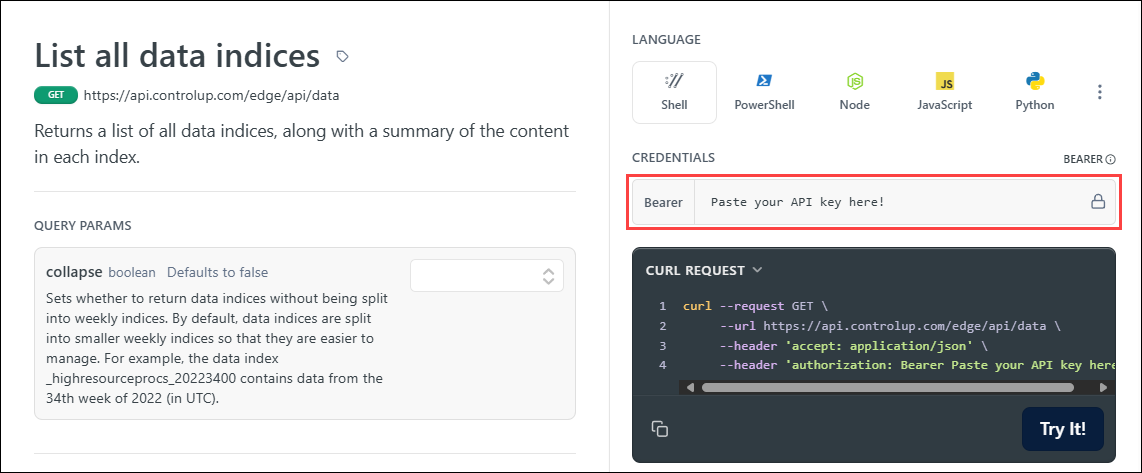
After you add your API key, you can adjust any parameters for the endpoint and click Try it! to send the request.
Legacy API deprecation
On December 9, 2024, the ControlUp for Desktops API moved from a standalone API to being part of the ControlUp platform API. The legacy standalone API will be deprecated on September 30, 2026.
If you are still using the legacy API, you must migrate to the ControlUp platform API to avoid interruptions to your integrations.
How to tell if you are using the legacy API
You are using the legacy API if:
- You send requests directly to your tenant URL:
https://{tenantName}.sip.controlup.com/api - You send your API key in the header
x-api-key
What you need to change
To migrate from the legacy API to the platform API:
- Create a new platform API key.
- Update your API requests to use the new base URL for ControlUp for Desktops:
https://api.controlup.com/edge/api - Update your API requests to send the new API key as a Bearer token in the Authorization header in the format:
Authorization: Bearer <your API key>
To see examples of API requests in various languages, view the documentation for an endpoint.